![NEW SW_Horizontal_White.png]](https://help.sterling-wellness.com/hs-fs/hubfs/NEW%20SW_Horizontal_White.png?height=50&name=NEW%20SW_Horizontal_White.png)
- Step 1 – Login to Google and go to “My Account”
Log into your Google account and go to https://myaccount.google.com/ - Step 2 – Apps with Account Access
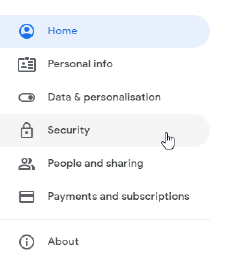
Click on the Security menu option on the left side of the page.
- Step 3 – Manage Apps
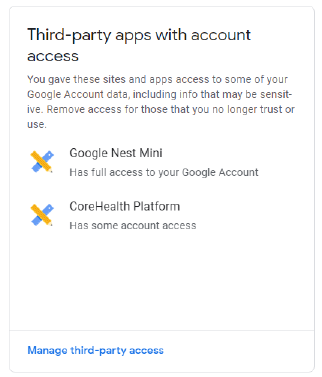
Find “Third-party apps with account access” and click “Manage third-party access”.
- Step 4 – Remove Access
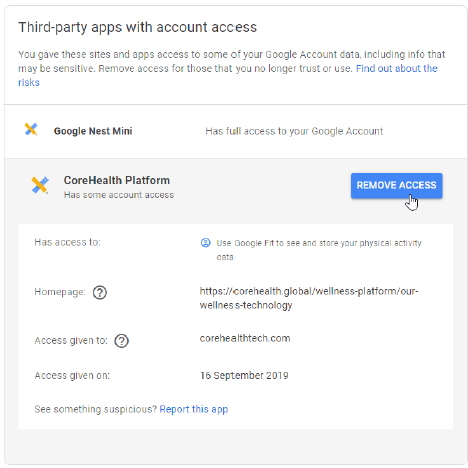
Find WiLO in the list, click on it, and click “Remove Access”
- Step 5 - Confirm
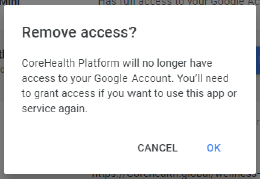
Click “OK” on the “Remove access” prompt
Need additional support? We're here to help!
Connect with our Support team at Support@Sterling-Wellness.com or call 800.838.0337.